Automation of real-city creation in CSL
Automation of Terrain and Road Creation
Preface
We used this guide'to automate the creation of a city map with roads inside the in-game Map Editor.
This guide is a bit outdated so some steps had to be changed.
Prerequisites
Subscribe to the following collection and enable all of it's mods:
Steps to recreate KAUST (without buildings)
Getting the terrain heightmap
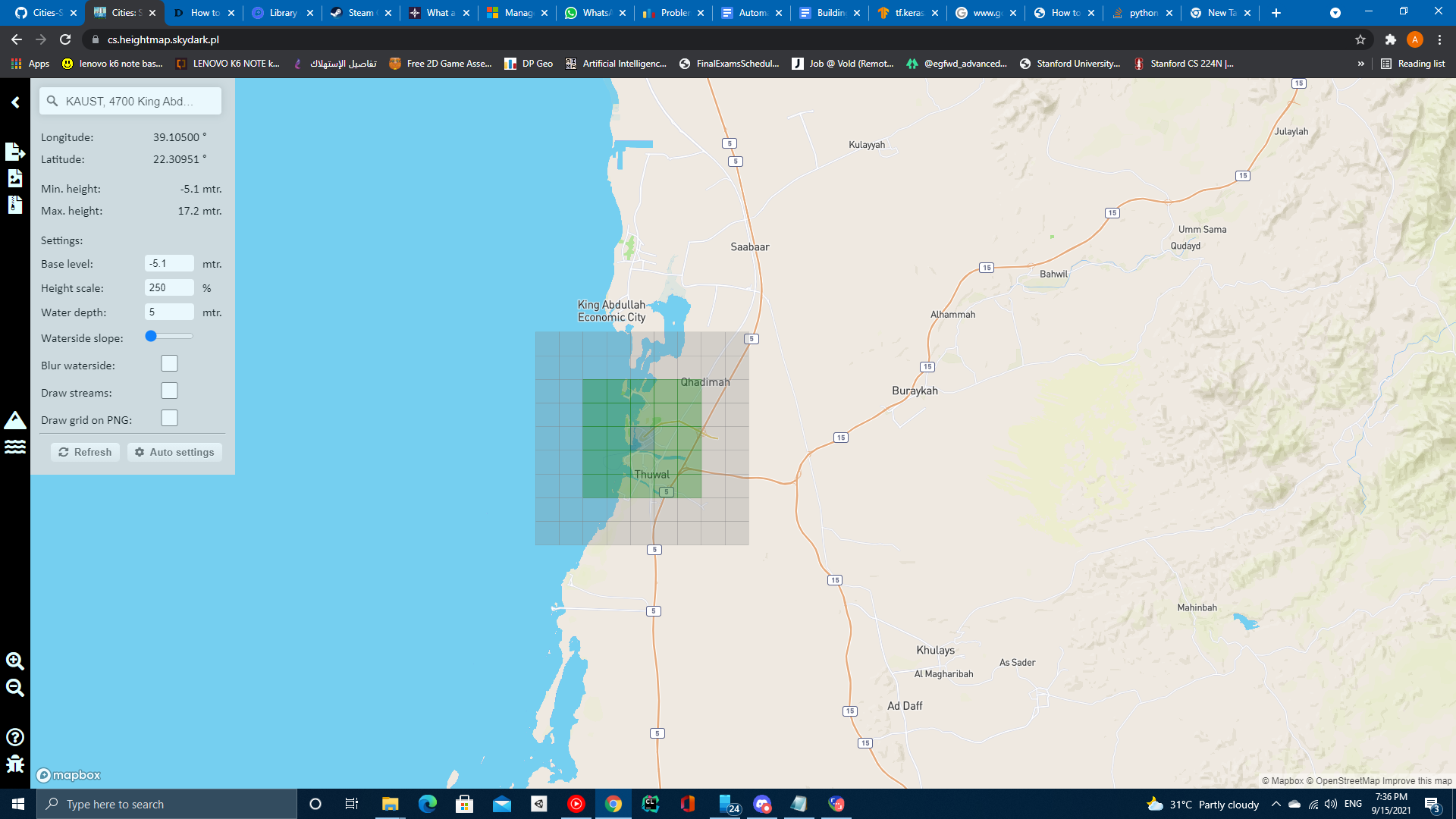
- Head over to https://cs.heightmap.skydark.pl/
- Click the info icon on the top left
- Search for KAUST then hit enter
- Keep the coordinates as we'll need them later
- Click auto settings
- Click on download PNG heightmap
- Save the heightmap to
'%localappdata%\Colossal Order\Cities_Skylines\Addons\MapEditor\Heightmaps\
Importing Heightmap and roads into the Map Editor
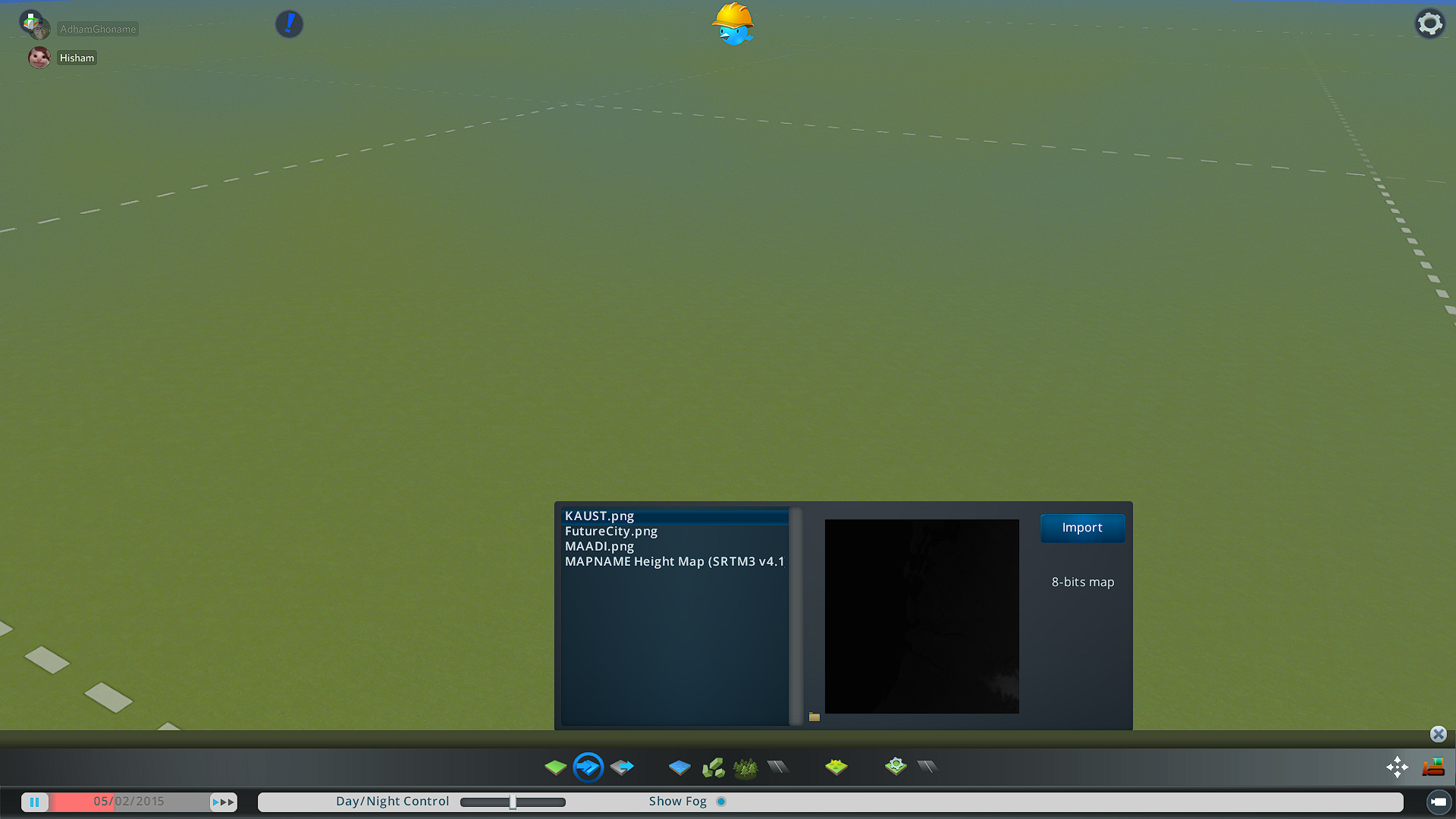
- Open a new map in the map editor
- Import the heightmap you downloaded to the current map
- Use the terrain smooth tool with a large size brush to smoothen the pixel-like terrain parts
- We now need to calculate the bounding box using the coordinates we got from the heightmap generator (this will be automated in the future)
- Each kilometer corresponds to 1/111th of a long/lat degree
- Given the Long and Lat coordinates
- North: Lat - 9/111
- South: Lat + 9/111
- East: Long - 9/111
- West: Long + 9/111
- We need to keep them in the following format West,South,East,North
- Open up Cimtographer
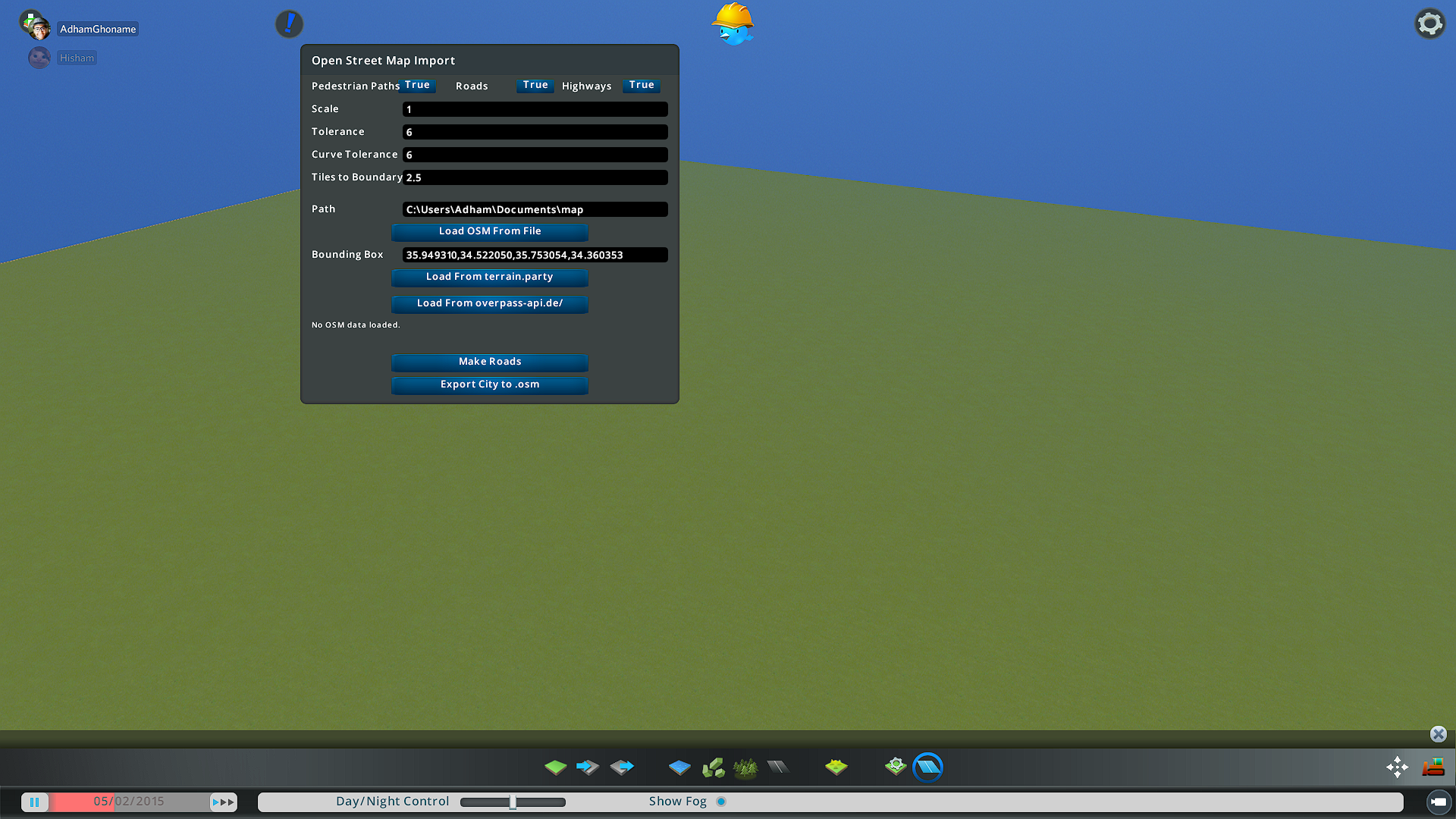
- Set scale, tolerance and curve tolerance to 1
- Set Tiles to boundary to 4.5
- Paste the previously calculated bounding box into the bounding box field
- Click load from overpass-api.de/
- This will start downloading road data and the game will hang for a while (the files might be large, give it 10-15mins)
- After the game starts being responsive again press Make roads
- This will start creating roads and might take a while as well
- When it says Done, fast forward time to make the road construction finish faster.
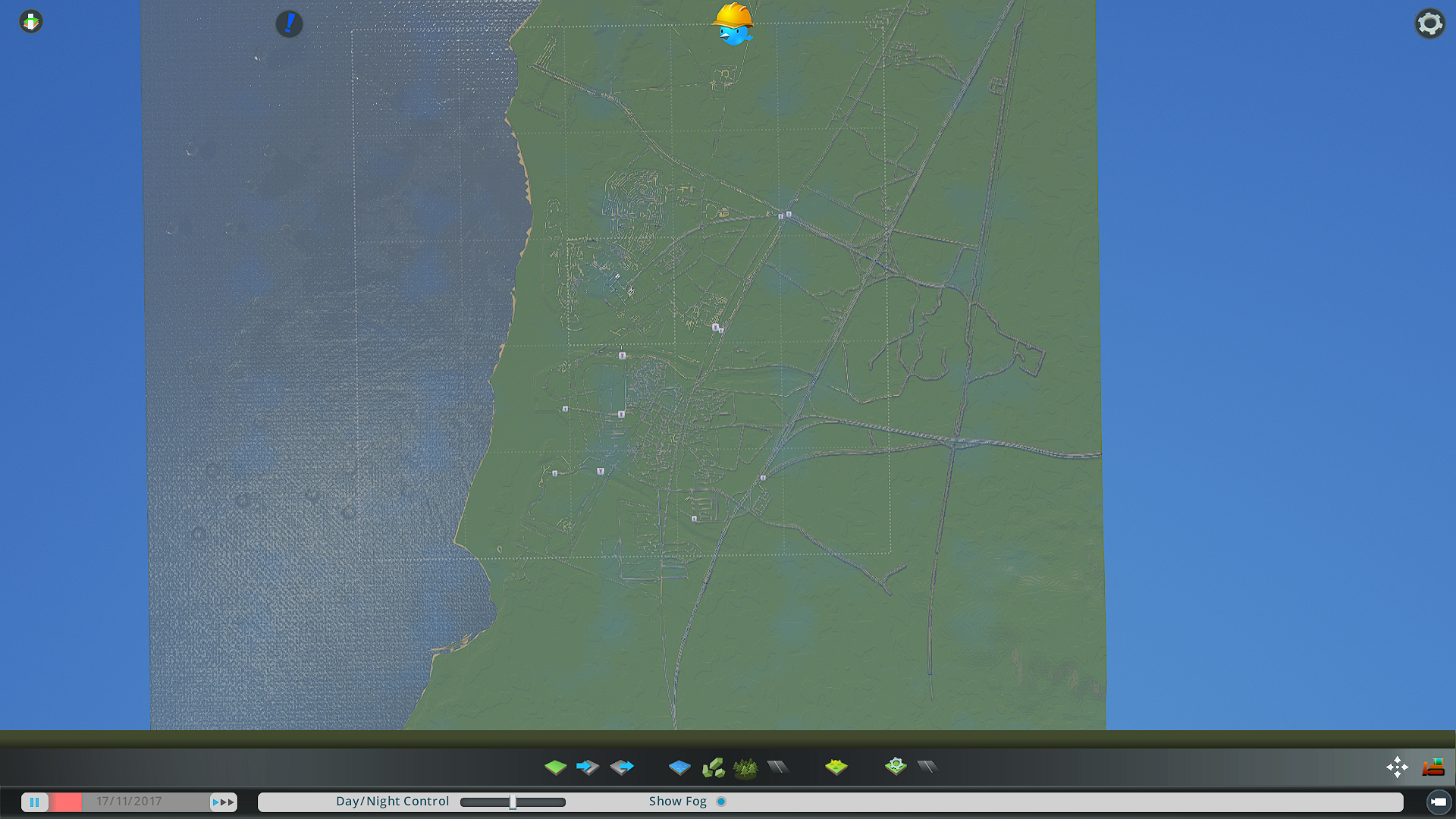
- In case of KAUST, you might want to add water the left side of the city to resemble the sea (Make sure the water level doesn't flood the city)
Screenshots
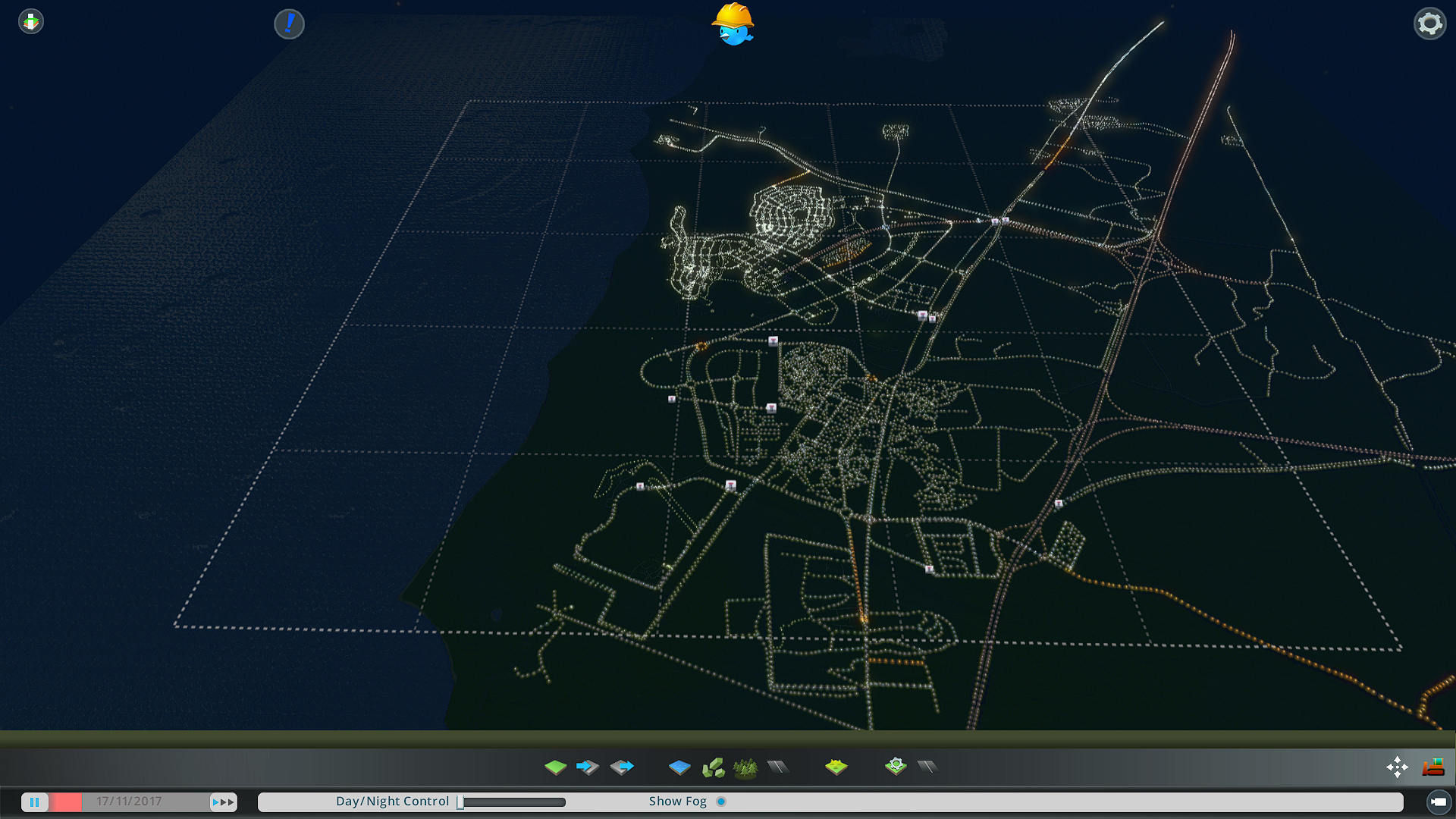
Limitations:
- Roads are slightly shifted. But we can add an option to a constant shift amount in the code.
- Heightmaps have a resolution of 16m^2 per pixel.
- Instantiated road prefabs are not always suitable with where they are placed (misplaced sidewalks, etc')
- LOD problems while rendering roads from a close distance (roads sometimes disappear when you go near them).
Improvements
The reason we get the heightmaps from https://cs.heightmap.skydark.pl/'is that terrain.party is no longer functional, Cimtographer supports terrain.party which means that previously it could get the heightmap and the road data without the need to import height-maps manually.
- We can try to modify Cimtographer to use cs.heightmaps.skydark.pl or this'instead of terrain.party.
- The api that cs.heightmaps.skydark.pl uses (Mapbox) may be able to fetch information about building heights so it could be used to make placeholder buildings to populate the cities.
Building automation
OpenStreetMaps
Open street maps api provides building data in the form of building outline polygon and height information which can be used to create placeholder buildings inside the city.
API Call:
https://overpass-api.de/api/interpreter?data=[out:json][timeout:30];
(
' node["building"]["height"]({{bbox}});
way["building"]["height"]({{bbox}});
relation["building"]["height"]({{bbox}});
node["building"]({{bbox}});
way["building"]({{bbox}});
relation["building"]({{bbox}});
);
out body;
>;
out skel qt;
Cadmapper (Paid) - free trial up to 1km^2
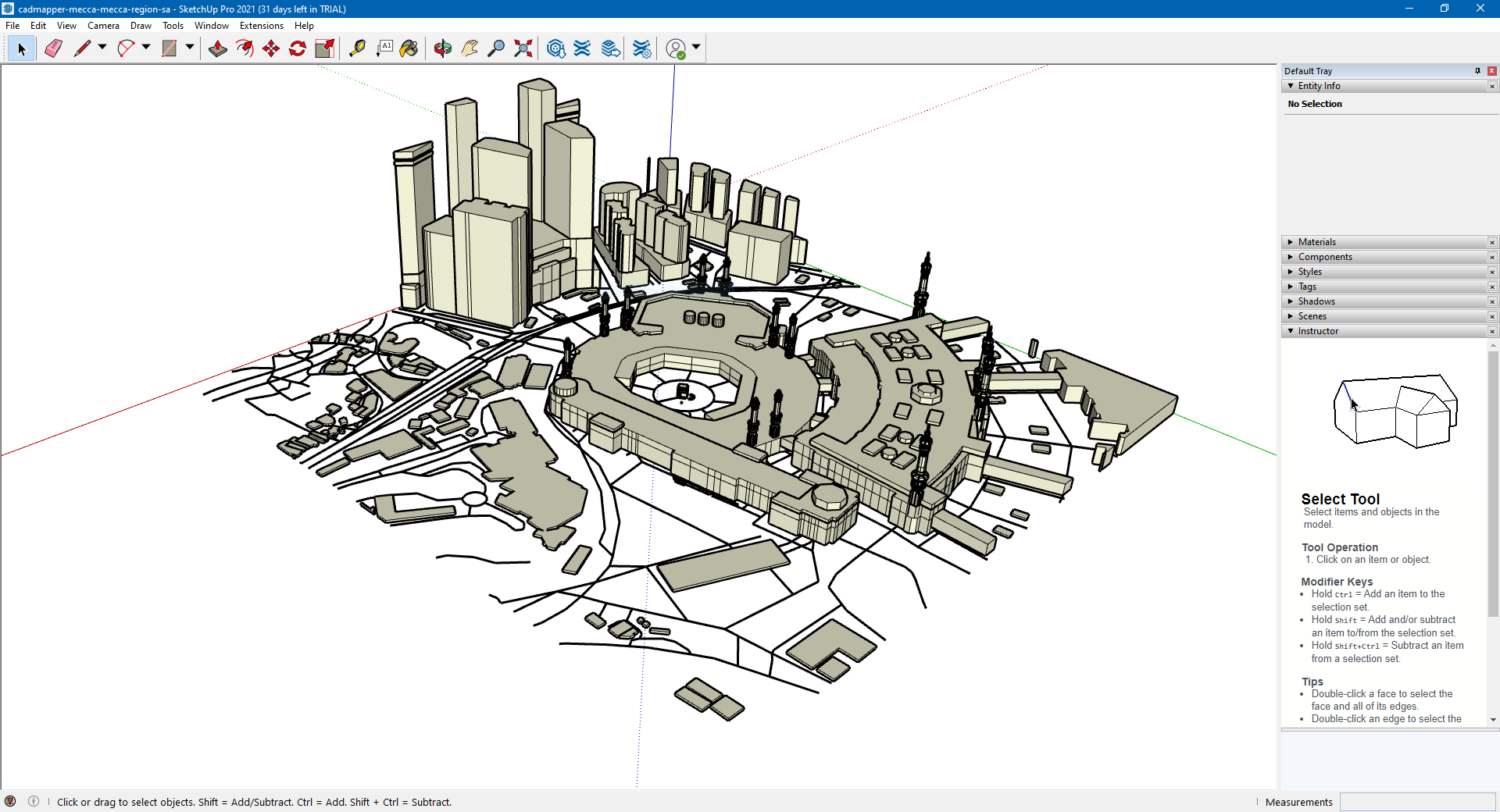
Cadmapper is a website that lets you directly download 3D models from a bounding box on a map with sketchup format.
Tested on makkah

References
https://mapbox.github.io/mapbox-sdk-cs/
https://steamcommunity.com/sharedfiles/filedetails/?id=1683092617
https://steamcommunity.com/sharedfiles/filedetails/?id=1789674555
Cimtographer guide:
https://steamcommunity.com/workshop/filedetails/discussion/1485051886/1741100729954204299/
https://www.youtube.com/watch?v=Hk_sQun48X0&ab_channel=NathanMelenbrink
Created for Cities Skylines (Get Height Maps from location):
https://cs.heightmap.skydark.pl
MapBox (API to get buildings and roads together)
Kaust1
https://api.mapbox.com/styles/v1/adhamghoname/ckttce9fs074y18pjzbfxh8nl.html?title=view&access_token=pk.eyJ1IjoiYWRoYW1naG9uYW1lIiwiYSI6ImNrdHRiandudjA3NDkycXF0N2k1MTJlNWgifQ.4j8rHVtffSG16GcOTziaFQ&zoomwheel=true&fresh=true#17.84/22.314569/39.104431/8.2/40
Kaust2
https://api.mapbox.com/styles/v1/adhamghoname/ckttce9fs074y18pjzbfxh8nl.html?title=view&access_token=pk.eyJ1IjoiYWRoYW1naG9uYW1lIiwiYSI6ImNrdHRiandudjA3NDkycXF0N2k1MTJlNWgifQ.4j8rHVtffSG16GcOTziaFQ&zoomwheel=true&fresh=true#15.52/22.323609/39.109663/58.9/33
OpenStreetMap
https://www.openstreetmap.org/search?query=kaust#map=14/22.3148/39.1097
https://www.reddit.com/r/CitiesSkylinesModding/comments/46qw3m/tutorial_on_how_to_extract_3d_models_from_google/
Makkah from OSM data
https://osmbuildings.org/?lat=21.42254&lon=39.82545&zoom=16.8&tilt=45&rotation=-90