Replacing buildings' meshes at runtime
Preface
Unexpectedly, this was not a trivial task as there was no out of the box method to load OBJ files at runtime. also, the game source code has a lot of references to a single building's mesh that I had to go through one by one to figure out which one will eventually be rendered by the game.
Work process
...
Loading the mesh at runtime
The first challenge was to load an OBJ file into a UnityEngine.Mesh object as Unity doesn't support loading models at runtime.
I found this asset which I tested inside Unity before using in the mod and turned out to work properly.
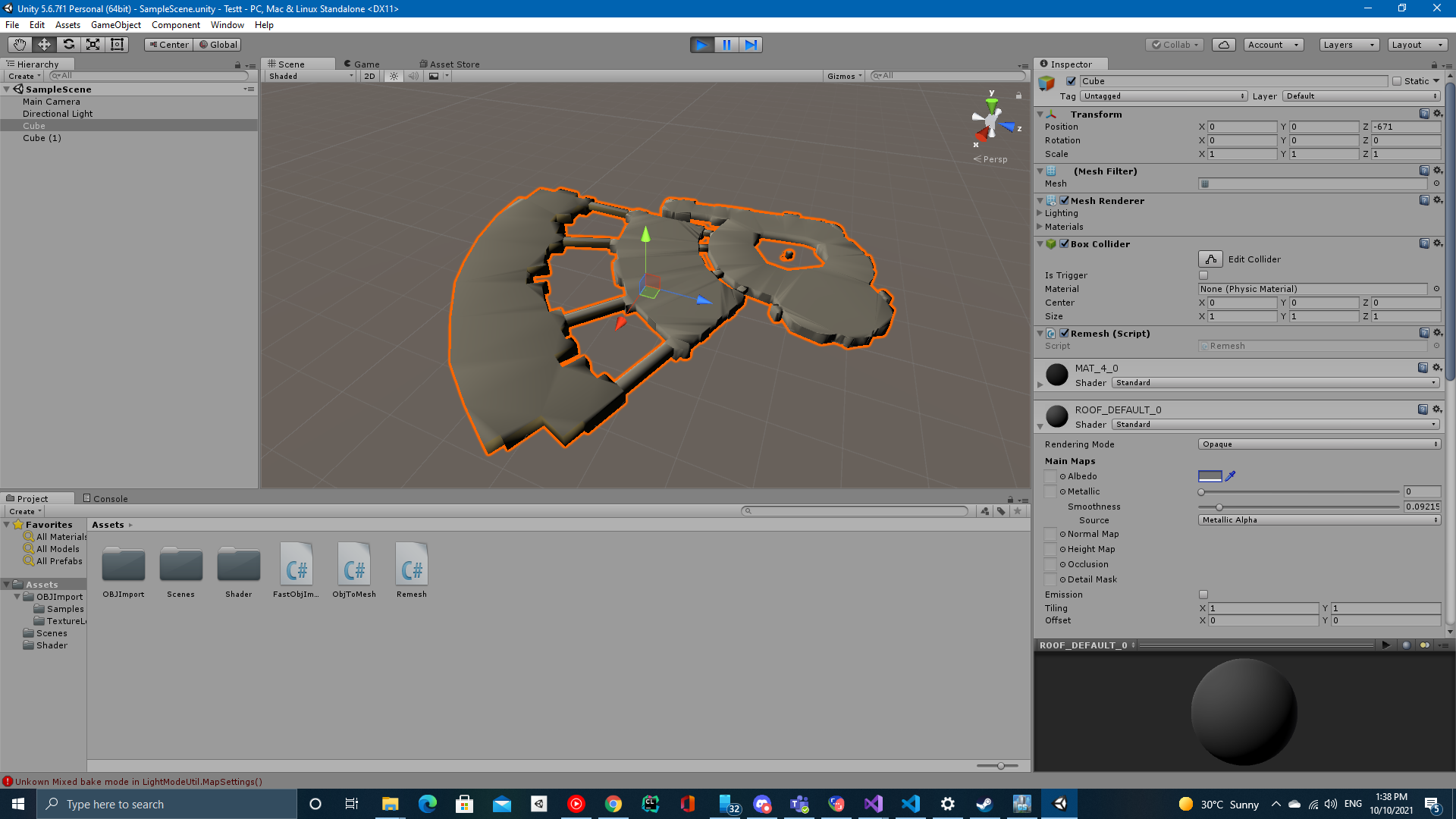
But when tested in the game, a NullReferenceException would popup.
After tracing the exception it turned out the game doesn't ship with Unity's Standard Shader, so I had find a suitable shader in the cities skyline assets pack and found the default Buildings/Default shader and ended up using it.
...
Replacing building mesh
Next challenge was to replace a buildings Mesh at runtime.
My first attempt was to simply replace the mesh property inside the MeshFilter component of the building's game object but had no effect whatsoever when tested.
After a while digging in the source code of the game it turned out that the BuildingInfo Component of the building's game object has been overriding the mesh inside the MeshFilter with it's m_mesh property.
after replacing the m_mesh with the desired mesh when I ran the game this was the result:
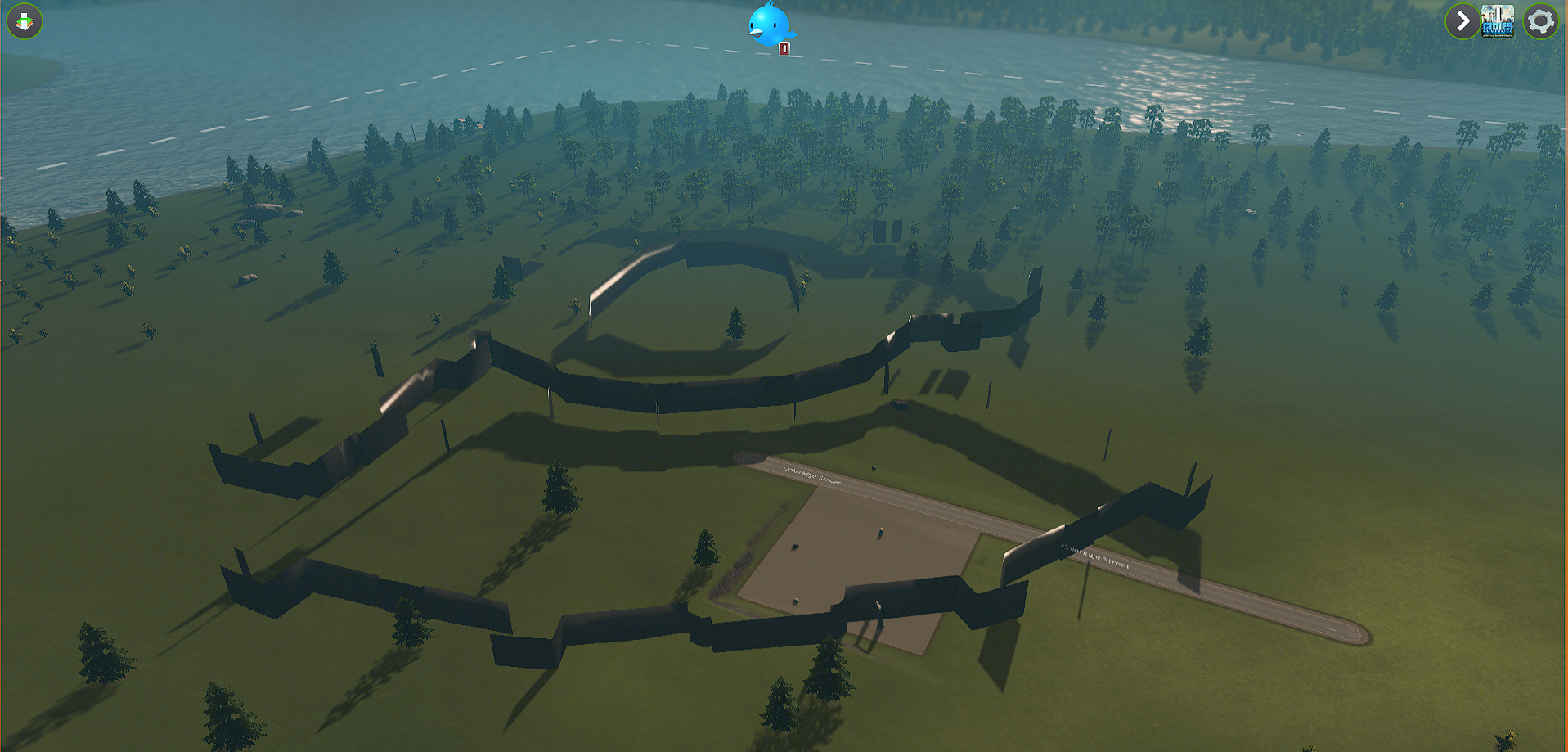
A lot of faces were missing from the mesh.
At first I suspected that the problem was something related to the bunch of references the game has to a building's mesh or that it was related to the LOD mesh reference that the game uses to optimize.
When I fixed all issues that with mesh references that might relate to this problem and it still wasn't fixed I began to suspect there was a problem with the OBJLoader asset.
I tried to find an alternative asset but none of them would even load the mesh in Unity.
I then decided to write a simple OBJ loader script and tested it inside Unity and it worked fine.
When I tested it with the mod it finally loaded up the mesh properly inside the game.
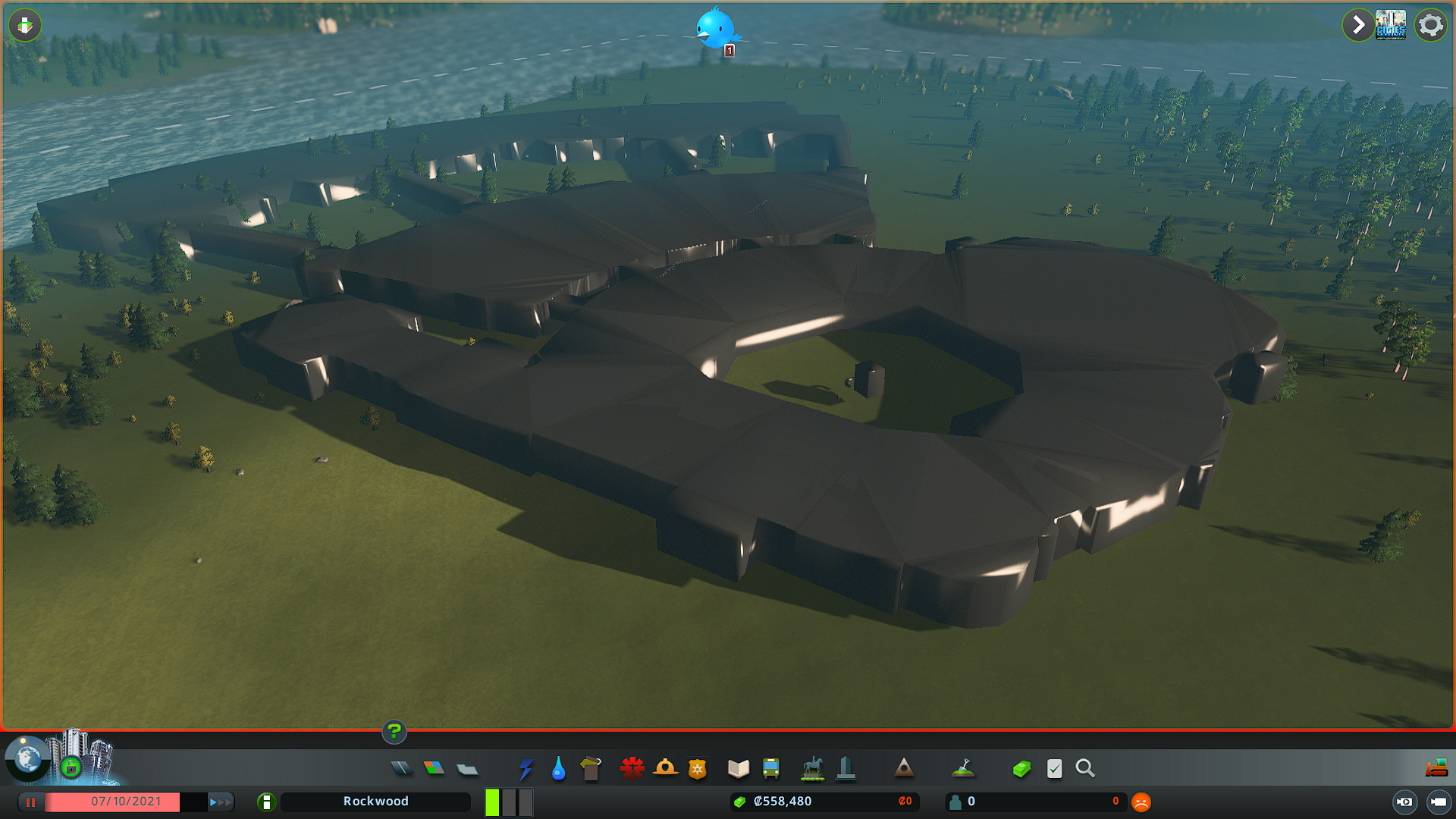 ...
...
Mod Usage
Subscribe to the mod.
To use this mod it's required to have ModTools.
To replace a buildings mesh follow these steps: - Find the buildings ID using ModTools - Enable ModTools' selection tool

- Place the cursor on the target building to find the ID
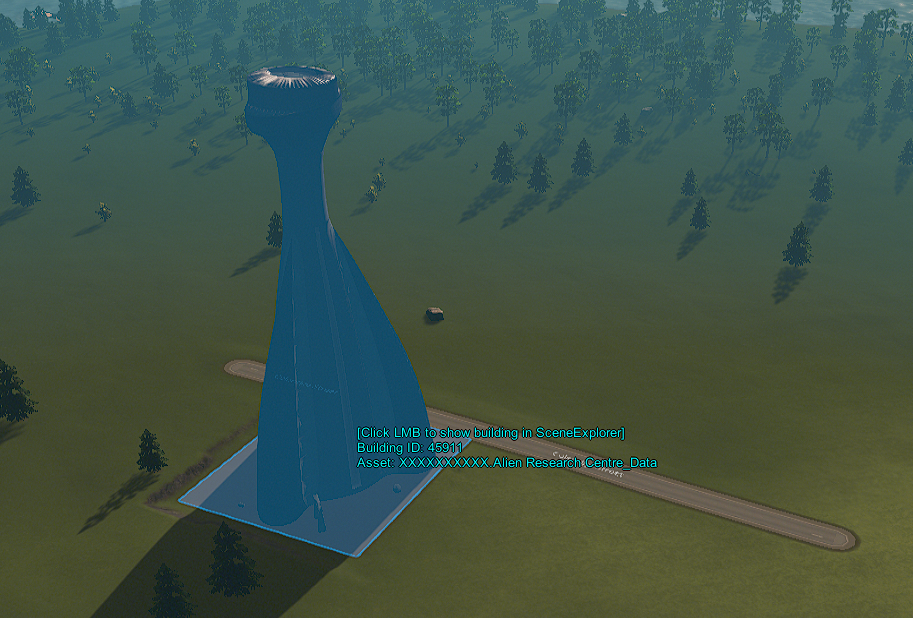
-
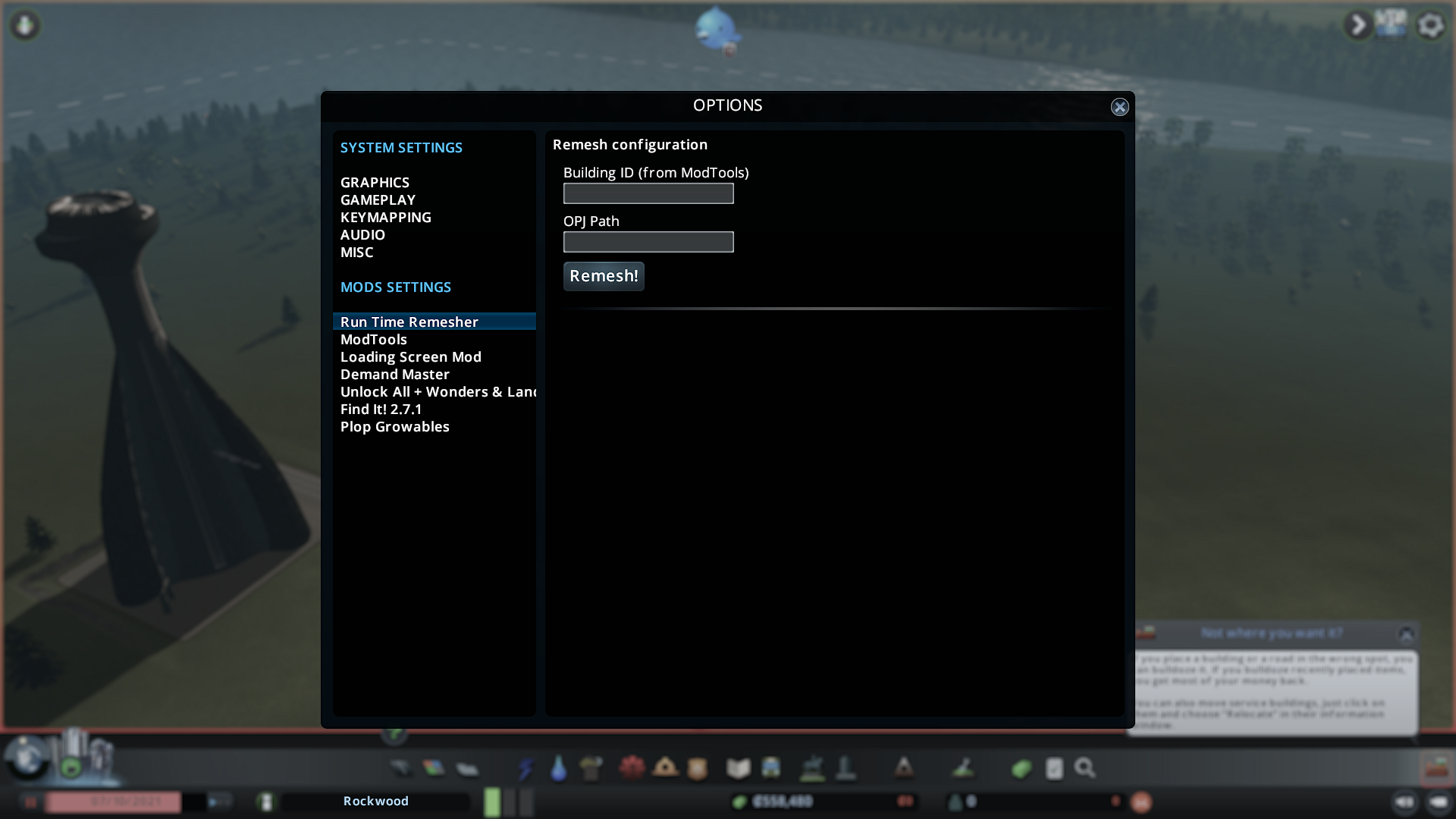
Open game options and select the mod to bring up the mods window
-
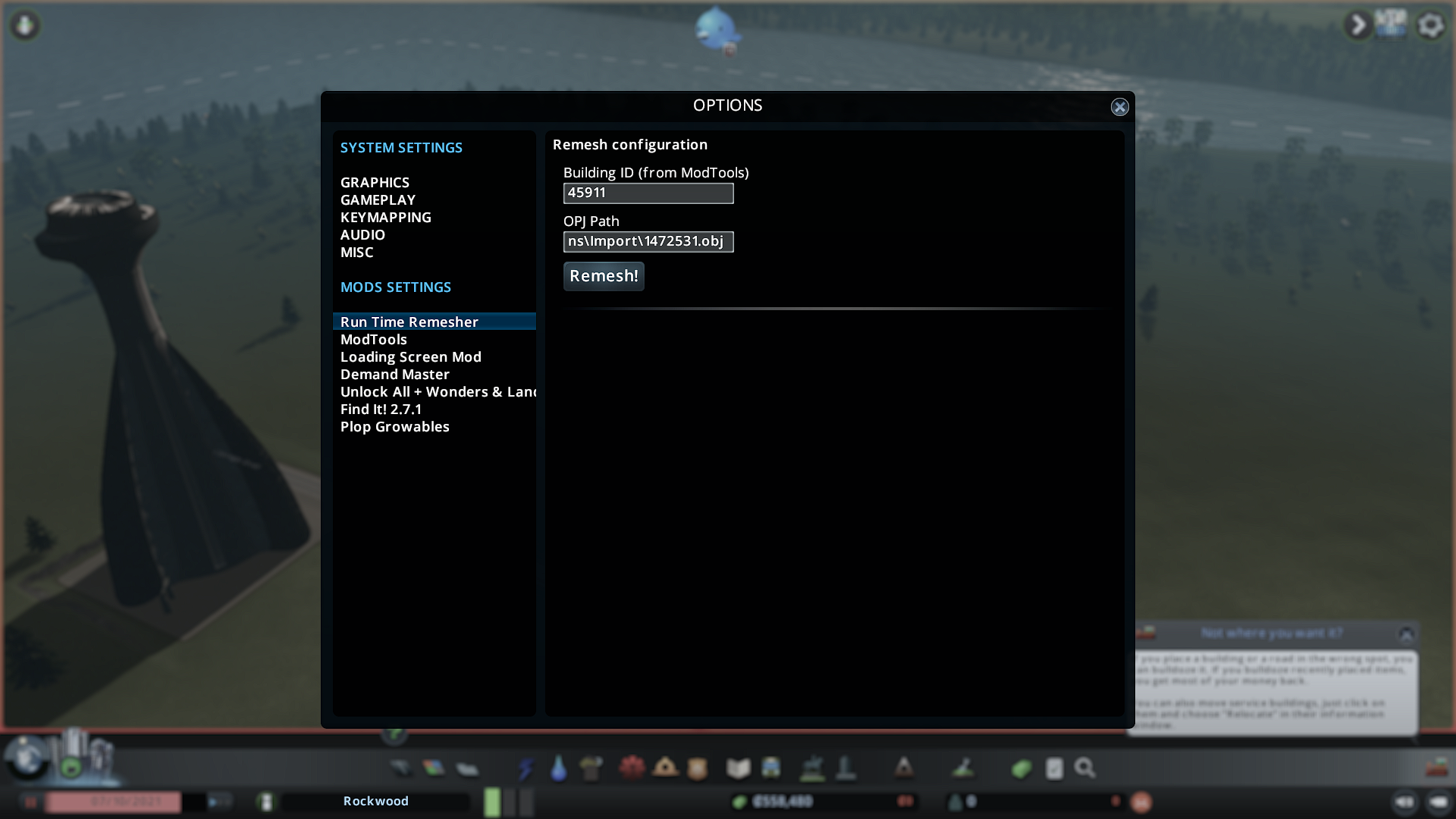
Enter the building ID and press enter (Make sure you press enter)
-
Enter the required OBJ file's path and press enter (again, very important!)
-
Press "Remesh!"
...
Current limitations
- The mesh isn't saved when you save the game
- LOD mesh still doesn't work (when you move away from the building it reverts back to the old mesh until you are near it again.)