Explore and run Cork City
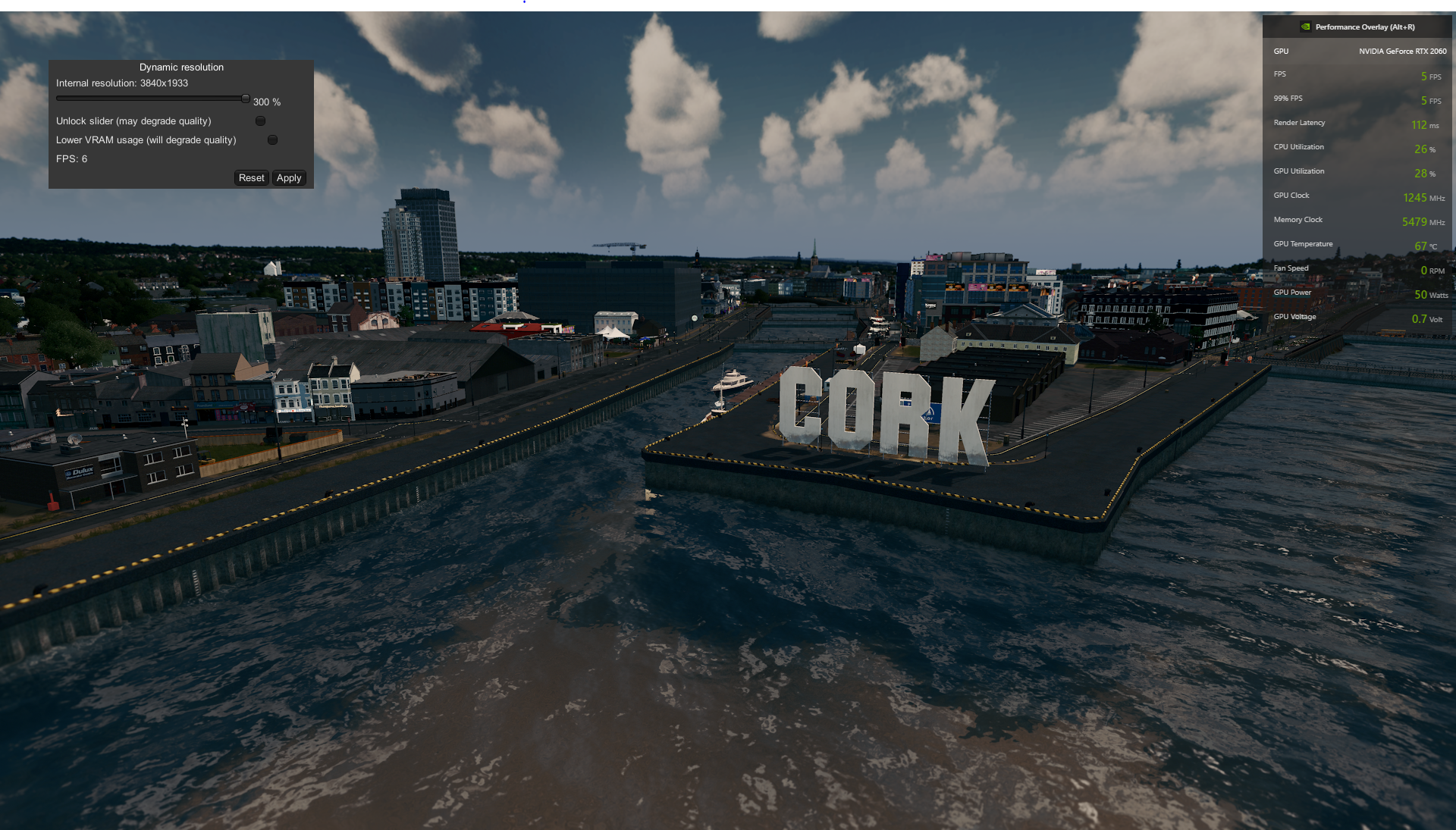
A screenshot from my poor RTX2060 trying to run the game on 16GBs of RAM.
Preface
The creator of Cork city published an old save game'on the Steam workshop.
The creator of the save file recommended the following specs:

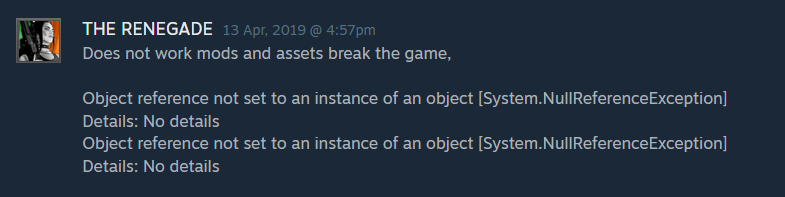
However, all the comments on the workshop asset were saying that no one was actually able to open the save file:




UPDATE
We had a discussion in the 2nd meeting (31/8/2021) and then we gave up on opening the city.
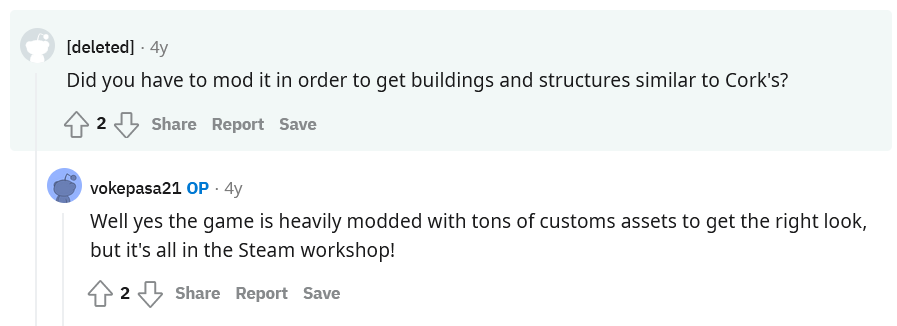
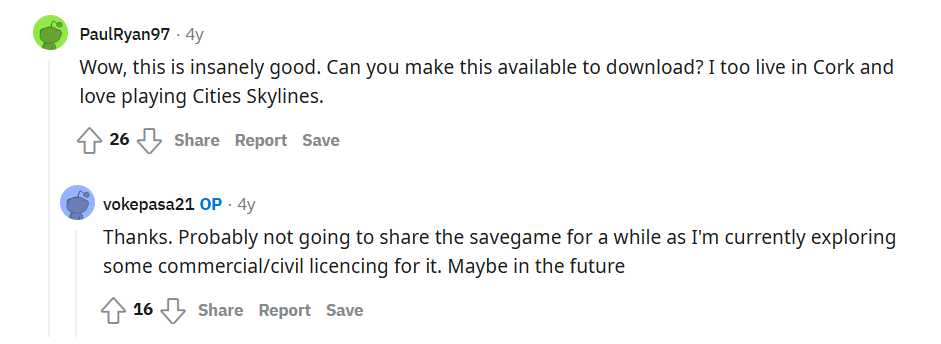
However, two days ago (6/9/2021), someone wrote this comment on the steam workshop:

So I thought I should give it another try. I downloaded all the assets and followed the instructions mentioned in the workshop description. However, there were a lot of errors and I wasn't able to open the city.
After Googling A LOT and reading error logs, I managed to finally open the city (some assets are missing, but it looks fine). I fixed some dependency errors and removed outdated mods that were causing most of the errors.
To run the city on 16GBs of RAM, I increased the paging file size in Windows 10 to 64GBs on my SSD hard drive (I don't think you can load the city on HDD hard drives, SSD was slow). So when the game runs out of RAM it can store all the other assets on the paging file.
Note:'The paging file (or swap file/partition) is used when the operating system runs out of memory. The system moves some of the least used RAM content to the paging file on the hard drive. But since retrieving data from hard drives is way slower than retrieving data from RAM, it drains the performance. It acts as a slow virtual memory.
The city was running on ~8 frames per second. But it wasn't laggy at all. You can see in the screenshot that GPU utilization was 28%, and CPU utilization was 26%. I ran the city on the minimum and maximum graphics settings, both had the same ~8 FPS average. The RAM (and probably VRAM) were causing the bottleneck.
Tested on the following specs:
- RTX2060 6GB (Mobile-version)
- 16GB DDR4 2933Hz RAM
- Intel I7-10750H, 6 cores
- 512GB SSD
How to open Cork City
- Subscribe to the official Cork City savegame.
- Subscribe to these Mods: Mod1, Mod2
- Open the game and enable the first mod. (Content manager -> Mods -> look for Auto-Enable Mods -> mark the checkbox to enable it)
- Close the game
-
Subscribe to all the following workshops:
- Open steam and wait for the assets to be downloaded (~1.5GBs).
-
Download, extract and copy the following files to your game folder: %localappdata%\Colossal Order\Cities_Skylines
-
Change Windows 10 paging file size (even if you have 32 GBs of RAM).
This link'will help you. You should set the paging file size to x2 the size of your RAM. You will need to restart your device after.
-
Open the game -> Options -> Loading Screen Mod -> Enable all the following 3 options (you have to re-enable them again if you close the game)
- Remove all vehicle agents
- Remove all citizen agents
- Try recovering from simulation errors
-
Get back to the main menu -> load game -> choose cork city savegame. It might take some time to open, just leave your device for a while (even if it looks frozen). It took my laptop around 7 minutes to load.
- The game should load without any errors if you have followed the steps carefully.
Creator's Screenshots:
https://imgur.com/gallery/gAoiT
Creator's Reddit account:
https://www.reddit.com/user/vokepasa21/
YouTube:
https://www.youtube.com/watch?v=caLfHADNcOc
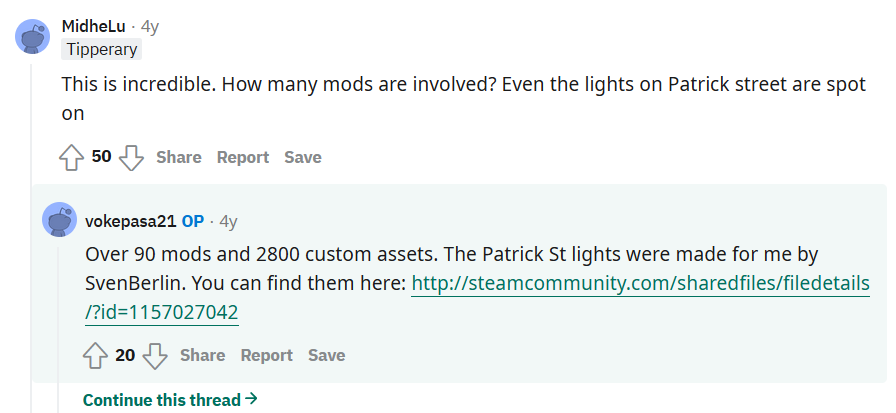
Useful mods (used in Cork City)
Optimization Mods:
- Loading Screen Mod
https://steamcommunity.com/sharedfiles/filedetails/?id=667342976
The mod contains an optimized custom asset loader that is significantly faster than the built-in loader. Displays information on the loading screen and adds new options. Automatically loads the assets that are used in your city, no matter if they are enabled or not.
- Transparency LODs Fix
'https://steamcommunity.com/sharedfiles/filedetails/?id=922939393
Fixes the issue of semi-transparent assets disappearing from LOD distance.
- Relight
https://steamcommunity.com/sharedfiles/filedetails/?id=1209581656
Rebalanced and customizable lighting and tone-mapping.
- Sharp Textures
https://steamcommunity.com/sharedfiles/filedetails/?id=1200563430
This mod makes textures appear sharper by increasing anisotropy and
decreasing mipmapping.
- 'Adaptive prop visibility distance
https://steamcommunity.com/sharedfiles/filedetails/?id=625608461
Prevents large props (like planes, containers, etc.) from disappearing on zooming out. Adjusts LOD distance for trees depending on their size.
- 'Mesh info
https://steamcommunity.com/sharedfiles/filedetails/?id=453956891
Find out how well-optimized custom assets are.
- Dynamic Resolution (Fixed for 1.9!)
https://steamcommunity.com/sharedfiles/filedetails/?id=812713438
Better anti-aliasing. Upscale/downscale from any resolution.
- 'Ultimate Level of Detail (ULOD)
https://steamcommunity.com/sharedfiles/filedetails/?id=1680642819
Make use of your graphics card! Configure the LOD distance of trees, props, buildings, and networks.
- Less Steam
https://steamcommunity.com/sharedfiles/filedetails/?id=812107110
This mod reduces unnecessary network traffic between Cities and Steam.
The Content Manager makes a lot of requests if you've subscribed to a lot of workshops. The mod disables all of those requests until you actually open the content manager and try to load mods/assets. That traffic is not used for gameplay.
- Tree Movement Control
https://steamcommunity.com/sharedfiles/filedetails/?id=1388613752
This mod provides a slider that lets you reduce or entirely stop the movement of tree assets in the wind.

Gameplay-control Mods:
- 'Improved unlimited money
https://steamcommunity.com/sharedfiles/filedetails/?id=555375742
Gives you unlimited money and the money doesn't go negative if you remove the mod later.
- No Fires
https://steamcommunity.com/sharedfiles/filedetails/?id=552324460
This mod provides an option to disable/enable buildings to catch on fire.
- Remove the need for power lines
https://steamcommunity.com/sharedfiles/filedetails/?id=572888650
- Remove Need For Pipes
https://steamcommunity.com/sharedfiles/filedetails/?id=576997275
This mod removes the need to place pipes all over your city, water will reach every building without pipes.
- Demand master
https://steamcommunity.com/sharedfiles/filedetails/?id=409776678
- View RCI values (0~100)
- Adjust RCI values as you wish
- Fix RCI values at any time
- Speed Slider
https://steamcommunity.com/sharedfiles/filedetails/?id=406354745
Make your entire game run faster or slower including things such as the camera.
- No abandonment
https://steamcommunity.com/sharedfiles/filedetails/?id=552309905
Disables building abandonment
- 81 Tiles (Fixed for 1.2+)
https://steamcommunity.com/sharedfiles/filedetails/?id=576327847
Unlocks all game tiles at any time.
- Pollution, death, garbage, and crime remover
https://steamcommunity.com/sharedfiles/filedetails/?id=769744928
- Flood Damage Control [BETA]
https://steamcommunity.com/sharedfiles/filedetails/?id=912484109
Buildings no longer become abandoned nor collapse due to flooding.
- 'No Problem Notification
https://steamcommunity.com/sharedfiles/filedetails/?id=917543381
Disables all problem notifications from the game.
- Unlimited Trees Mod v1.12
https://steamcommunity.com/sharedfiles/filedetails/?id=455403039
This mod unlocks the game's limitation of 262,144 trees to allow you to use just over 2 million.

Helper Mods:
- 'Auto-enable mods
https://steamcommunity.com/sharedfiles/filedetails/?id=903285221
Enables mods by default after subscribing.
- Procedural objects
https://steamcommunity.com/sharedfiles/filedetails/?id=1094334744
Vertex manipulation for any building/prop
- Prop snapping
https://steamcommunity.com/sharedfiles/filedetails/?id=787611845
Allows you to snap props to buildings and roads like in asset editor
- Airport Roads
https://steamcommunity.com/sharedfiles/filedetails/?id=465127441
Adds runways and taxiways to the airport menu.
- Clouds and fog toggler
https://steamcommunity.com/sharedfiles/filedetails/?id=523824395
Disables clouds and fog that are blocking the view while zooming out.
- Ship path anarchy
https://steamcommunity.com/sharedfiles/filedetails/?id=707759735
Disables water depth checking for ship & ferry paths.
- Unlimited Outside Connections
https://steamcommunity.com/sharedfiles/filedetails/?id=497033453
Add outside connections using roads that don't normally connect to the outside.
- 'Prop precision
https://steamcommunity.com/sharedfiles/filedetails/?id=791221322
This mod allows props to be placed much more precisely.
- 'Zoning toolset
https://steamcommunity.com/sharedfiles/filedetails/?id=592076973
Adds multiple buttons to the road build panel that gives you more control with regards to zoning and traffic lights
- Ploppable RICO
https://steamcommunity.com/sharedfiles/filedetails/?id=586012417
This mod will allow you to plop buildings that function as:
- Residential
- Industrial
- Commercial
- Office
The Ploppable RICO mod will convert any compatible ploppable'asset to a RICO building.
- 'Farther zoom
https://steamcommunity.com/sharedfiles/filedetails/?id=410227672
Allows farther zoom in and out.
- Advanced toolbar
https://steamcommunity.com/sharedfiles/filedetails/?id=563229150
Introduces new functionality to the toolbar including an expandable asset panel and auto-icon center.
- TotalyFree Camera
https://steamcommunity.com/sharedfiles/filedetails/?id=602077938
Makes regular camera mode behave like free camera mode (but with UI visible).
- Toggle it
https://steamcommunity.com/sharedfiles/filedetails/?id=1764637396
This mod allows toggling different visual elements in the game.
- Quay Anarchy
https://steamcommunity.com/sharedfiles/filedetails/?id=650436109
Allows placing quays and floodwalls anywhere. Also fixes 'Height too high' for quays, floodwalls, cargo, and passenger harbors.
- 'Building Themes
https://steamcommunity.com/sharedfiles/filedetails/?id=466158459
This mod makes it possible to apply building themes to a district or the whole city. Only buildings which are contained in one of the selected themes will grow in a district. You can subscribe to theme mods from the workshop, or create your own themes in the game.
- Prop & Tree Anarchy
https://steamcommunity.com/sharedfiles/filedetails/?id=593588108
Place props & trees wherever you like (underwater, on roads, etc..)
- 'Plant scaling
https://steamcommunity.com/sharedfiles/filedetails/?id=910440715
This mod allows you to scale plants.
- Crossings
https://steamcommunity.com/sharedfiles/filedetails/?id=427258853
Allows you to put road crossings for passengers on any road (instead of the default-created crossings at the intersection of roads).
- Network extension tools
https://steamcommunity.com/sharedfiles/filedetails/?id=812125426
Features:https://steamcommunity.com/workshop/filedetails/discussion/812125426/152391285459608307/
'
- Winter Buildings Unlocker (+vice versa)
https://steamcommunity.com/sharedfiles/filedetails/?id=627047745
Unlocks Winter landmarks and growable on non-Winter maps and vice versa
- Vanilla Trees Remover
https://steamcommunity.com/sharedfiles/filedetails/?id=877950833
Removes vanilla trees from the map, buildings, and roads. Configurable.
'
- 'Cork city, heightmap
https://steamcommunity.com/sharedfiles/filedetails/?id=423936010
'
- 'Extra Landscaping Tools
https://steamcommunity.com/sharedfiles/filedetails/?id=502750307
Allows to place natural resources in-game + provides configurable tree brush&pencil, terraform, and water tool.
- Network Tilling
https://steamcommunity.com/sharedfiles/filedetails/?id=1274199764
Loads custom tiling values for network segment and node textures.
'
- Prop Scaling 0.3 [Experimental ALPHA]
https://steamcommunity.com/sharedfiles/filedetails/?id=911295408
This mod lets you scale props.
- Stop Remover
https://steamcommunity.com/sharedfiles/filedetails/?id=919020932
This mod removes all vanilla bus/tram stops in all your saves once activated.
- Building Anarchy
https://steamcommunity.com/sharedfiles/filedetails/?id=912329352
Allows you to plop buildings anywhere.
- 'Move it
https://steamcommunity.com/sharedfiles/filedetails/?id=1619685021
This mod allows you to select, move and align various things.
- 'Painter
https://steamcommunity.com/sharedfiles/filedetails/?id=1372431101
Lets you paint buildings directly in-game
- 'Advanced stop selection
https://steamcommunity.com/sharedfiles/filedetails/?id=1394468624
Allows to explicitly specify platform of stations when pressing Shift

Aesthetic Mods:
- Road Options
'https://steamcommunity.com/sharedfiles/filedetails/?id=932192868
Used to manipulate vanilla roads (Change colors, remove side objects/highway markings).
- Not so unique buildings
https://steamcommunity.com/sharedfiles/filedetails/?id=466834228
Allows multiple instances of the same landmark
- Environment Colors Changer (obsolete)
https://steamcommunity.com/sharedfiles/filedetails/?id=554680908
Changes colors of environment objects (water, land, etc..)
- No Seagulls
https://steamcommunity.com/sharedfiles/filedetails/?id=564141599
Removes all seagulls from the city.
- 'Network Skins (Sunset Harbor compatible)
https://steamcommunity.com/sharedfiles/filedetails/?id=1758376843
Change the visual appearance of roads, train tracks, and pedestrian paths per segment.
- 'Show more limits
https://steamcommunity.com/sharedfiles/filedetails/?id=531738447
Shows objects' limits and how close they are to reaching them.
- Hide-UI
https://steamcommunity.com/sharedfiles/filedetails/?id=406326408
Press F11 to toggle the UI on and off.
- Ultimate Eyecandy v1.5.2
https://steamcommunity.com/sharedfiles/filedetails/?id=672248733
Adjust settings for better visuals (to take screenshots mainly).
- 'Custom Light Effects
https://steamcommunity.com/sharedfiles/filedetails/?id=959894658
- 'Theme Mixer 2
https://steamcommunity.com/sharedfiles/filedetails/?id=1899640536
Load & customize map themes.
https://steamcommunity.com/sharedfiles/filedetails/?id=924884948